Index Bloat: How Low-Value URLs Waste Search Attention
A website can publish thousands of URLs without creating thousands of useful search results. Product filters, sorting parameters, duplicate pages, and automatically generated archives can produce large numbers of URLs that offer little additional value to searchers.
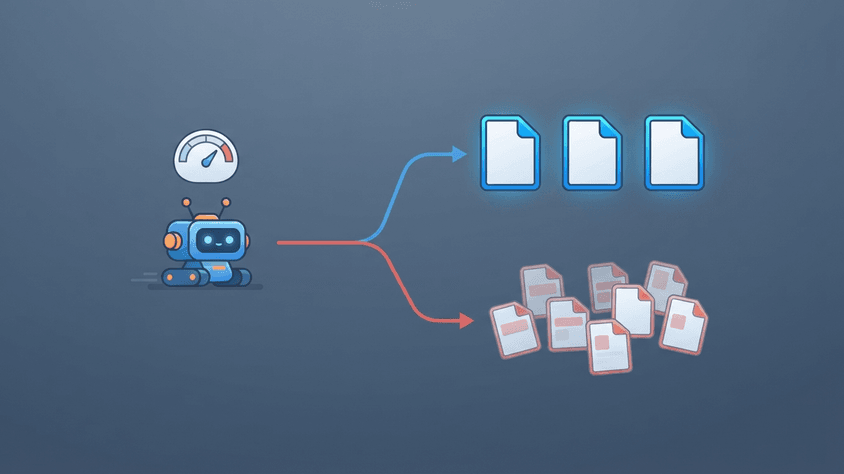
This creates two related problems: search engines may spend resources crawling unnecessary URLs, and a site's indexable or indexed pages may include too much repetitive or unhelpful content.
The solution is not simply to delete pages or block everything that receives little traffic. It is to understand which URLs deserve search visibility, which should remain accessible only to users, and which should no longer exist.
What Is Index Bloat?
Index bloat is an SEO term for an excessive number of low-value, redundant, or unnecessary URLs being eligible for, or included in, a search engine's index.
It is a descriptive SEO term, not a formally defined Google Search Console metric.
A related issue is crawl waste: search engines repeatedly requesting URLs that contribute little useful information.
These problems overlap, but they are not identical. A URL may consume crawling resources without ever being indexed. Similarly, a large website can have millions of indexed URLs without suffering from index bloat if those pages serve distinct, useful purposes.
The important distinction is between the number of URLs a website generates and the number of pages that genuinely deserve search visibility.
Why Index Bloat Matters
Search engines cannot crawl every URL on the internet without limits.
Google explains that its crawling resources are influenced by two main factors: crawl capacity, which considers how much crawling a website can support, and crawl demand, which reflects how much crawling Google's systems want to perform.
When a website exposes many unnecessary URLs, several problems can emerge.
- Wasted crawling resources: Googlebot may repeatedly request duplicate or low-value pages.
- Slower content discovery: On affected websites, unnecessary crawling can delay discovery of important new URLs.
- Canonicalization complexity: Multiple URLs showing similar content make it harder to maintain consistent signals about preferred pages.
- Poorer index quality: Low-value pages may occupy space in the indexed URL inventory without satisfying meaningful search intent.
- Higher server costs: Crawling large numbers of dynamic pages can consume bandwidth, processing power, and database resources.
Google explicitly documents the crawling problems caused by excessive faceted-navigation URLs. However, this does not mean every website with unnecessary URLs suffers measurable ranking losses.
Crawl-budget optimization is particularly relevant to large or frequently changing sites.
According to Google's July 2026 guidance, advanced crawl-budget management is mainly intended for sites with approximately one million or more frequently updated URLs, sites with 10,000 or more URLs changing daily, or sites experiencing substantial discovery delays. These are rough classifications, not strict thresholds.
For smaller websites, maintaining a clean sitemap and monitoring important pages is usually sufficient.
Where Low-Value URLs Come From
Faceted Navigation
Faceted navigation lets visitors filter products or content by attributes such as color, size, price, or availability.
Consider an online store with these URLs:
/shoes/shoes?color=black/shoes?color=black&size=42/shoes?color=black&size=42&sort=price
Each combination can create a distinct crawlable URL even when the underlying products substantially overlap.
A hypothetical category with 12 colors, 8 sizes, and 5 sorting options could generate 480 combinations before considering any other filters.
The problem is not filtering itself. Filters are useful for customers. The problem appears when every combination becomes another URL that search engines are encouraged to crawl without a corresponding search benefit.
INTERNAL LINK: Faceted Navigation SEO: Managing Filter URLs
Duplicate and Near-Duplicate Pages
Duplicate URLs can appear through tracking parameters, alternate URL structures, HTTP and HTTPS versions, or duplicated content paths.
For example:
/services/web-development
/services/web-development?utm_source=newsletter
These URLs might serve identical primary content.
Google's canonicalization system attempts to identify the representative URL among duplicate or substantially similar pages. Providing consistent canonical signals can help that process.
Automatically Generated Pages
Content management systems and custom applications may generate tag archives, empty search pages, outdated listing pages, or combinations of categories that contain almost no useful content.
Not every automatically generated page is low-value. A well-organized category archive may help visitors find content and may satisfy search demand.
The concern is creating indexable URLs without evaluating whether they provide a distinct purpose.
How to Detect Index Bloat
Start by comparing the URLs your website generates with the pages you actually want search engines to index.
1. Inspect Search Console
Open Google Search Console and review the Page indexing report.
Pay attention to statuses such as:
| Status | What it may indicate |
|---|---|
| Crawled – currently not indexed | Google crawled the URL but has not indexed it |
| Discovered – currently not indexed | Google knows the URL but has not crawled it yet |
| Duplicate, Google chose different canonical | Google selected another representative URL |
| Soft 404 | The page may appear missing or effectively empty despite its HTTP response |
| Indexed | The URL is included in Google's index and should be evaluated against its intended purpose |
These statuses are diagnostic clues, not automatic evidence of index bloat.
A duplicate being excluded can mean Google's canonicalization is working correctly. A newly published page that has not been indexed might simply require more time.
2. Examine Crawling Activity
For larger websites, Search Console's Settings → Crawl stats report provides information about crawl requests, response codes, download sizes, and server response times.
Server access logs offer additional URL-level detail. A useful engineering exercise is to group verified Googlebot requests by URL pattern and compare activity across important pages, filters, redirects, and error responses.
3. Identify URL Patterns
Instead of examining thousands of pages individually, group similar URLs.
For example, if most unnecessary crawling is concentrated in URLs containing ?sort=, the underlying issue may be one reusable application feature rather than thousands of independent SEO problems.
This leads to a more efficient fix: correct the URL-generation or crawl-control behavior responsible for the pattern.
How to Fix Index Bloat
Different URL problems require different technical solutions.
| Situation | Appropriate approach |
|---|---|
| Duplicate pages that should consolidate | rel="canonical" or a permanent redirect |
| Unnecessary filter combinations | Prevent crawling where appropriate |
| Pages that must remain accessible but not indexed | noindex |
| Permanently removed pages without replacements | HTTP 404 or 410 |
| Pages moved to equivalent replacements | Permanent redirect |
| Valuable pages incorrectly excluded | Resolve their specific indexing or technical issue |
Canonicalize Duplicate URLs
For genuinely duplicate or substantially similar pages, use a canonical link in the HTML <head>:
<link rel="canonical" href="https://example.com/shoes">
This identifies the preferred URL.
Google treats canonical annotations as strong signals, but not absolute commands. The target should be an appropriate representative of the content.
Do not automatically canonicalize every filtered page to its parent category. Some filtered pages may have unique content and legitimate search demand.
INTERNAL LINK: Canonical Tags: How Search Engines Handle Duplicate URLs
Control Unnecessary Crawling
For filter URLs that should not be crawled, Google recommends approaches such as robots.txt restrictions or suitable URL-fragment-based filtering.
However, blocking crawling does not guarantee that an already discovered URL disappears from search results.
This distinction matters because Google cannot read a page's noindex directive if robots.txt prevents access to that page.
For URLs that must be removed from the index, allow Google to access and process the relevant noindex directive. For long-term crawl prevention on appropriate URL patterns, use carefully tested crawl restrictions.
Remove Truly Obsolete Pages
A page that no longer exists and has no suitable replacement should normally return 404 or 410.
If the content has moved, redirect to the relevant replacement instead.
Avoid redirecting every removed URL to the homepage. Such redirects may confuse visitors and can be treated as soft 404s.
Improve Sitemap Quality
Your XML sitemap should emphasize preferred, canonical URLs that you intend to make available in search.
Avoid automatically including duplicate URLs, obsolete pages, or pages deliberately excluded from indexing.
A sitemap helps search engines discover your preferred URLs, but inclusion does not guarantee indexing.
How to Verify the Fix
After implementing changes, measure whether the affected URL patterns behave as intended.
Check that canonical tags point to the correct destinations, noindex directives are visible to crawlers, removed pages return appropriate HTTP statuses, and important pages remain internally linked.
Then monitor Search Console and, where available, server logs. Compare crawl activity, indexing decisions, and discovery of important new pages over time.
Google's crawling and indexing changes are not instantaneous, and lower crawl volume on unwanted URLs does not guarantee that the saved resources will be redirected to other pages.
The goal is a healthier URL inventory, not merely a lower indexed-page count.
Common Misconceptions
Does every non-indexed URL indicate a problem?
No. Google intentionally excludes duplicates, removed pages, and other URLs that do not need separate search listings. The important question is whether valuable canonical pages are being indexed.
Does deleting low-traffic content improve SEO?
Not automatically. A page with little organic traffic may still serve a specific audience, support internal navigation, or contain useful information. Evaluate purpose and content quality before removing it.
Does fixing index bloat guarantee better rankings?
No. Cleaning unnecessary URLs can improve crawling efficiency and reduce technical complexity, but Google does not guarantee a ranking increase from reducing URL counts.
SeoNest Recommendation
Treat index bloat as a URL inventory and search-value problem, not simply an indexing-count problem.
Prioritize three actions: preserve useful pages, consolidate redundant ones, and prevent unnecessary URL generation or crawling.
For smaller websites, focus on clean information architecture, canonical consistency, and accurate sitemaps. For larger platforms, combine Search Console diagnostics with server logs and URL-pattern analysis.
The objective is not to make Google discover fewer pages at any cost. It is to make your important content easier to discover, process, and understand.
Sources
- Google Crawling Infrastructure. Optimize Your Crawl Budget. Updated July 22, 2026.
https://developers.google.com/crawling/docs/crawl-budget - Google Crawling Infrastructure. Managing Crawling of Faceted Navigation URLs. Updated December 18, 2025.
https://developers.google.com/crawling/docs/faceted-navigation - Google Search Central. How to Specify a Canonical URL with rel="canonical" and Other Methods. Updated July 10, 2026.
https://developers.google.com/search/docs/crawling-indexing/consolidate-duplicate-urls - Google Search Console Help. Page Indexing Report.
https://support.google.com/webmasters/answer/7440203 - Google Search Console Help. Crawl Stats Report.
https://support.google.com/webmasters/answer/9679690 - Google Search Central. Block Search Indexing with noindex. Updated December 10, 2025.
https://developers.google.com/search/docs/crawling-indexing/block-indexing - Google Search Central. Build and Submit a Sitemap. Updated July 8, 2026.
https://developers.google.com/search/docs/crawling-indexing/sitemaps/build-sitemap