2.4 GHz vs 5 GHz Wi-Fi: What’s the Difference?
If your router shows two Wi-Fi options—one labeled 2.4 GHz and another 5 GHz—the number does not describe your internet plan or mobile 5G connection. It describes the radio-frequency band used between your device and the Wi-Fi access point.
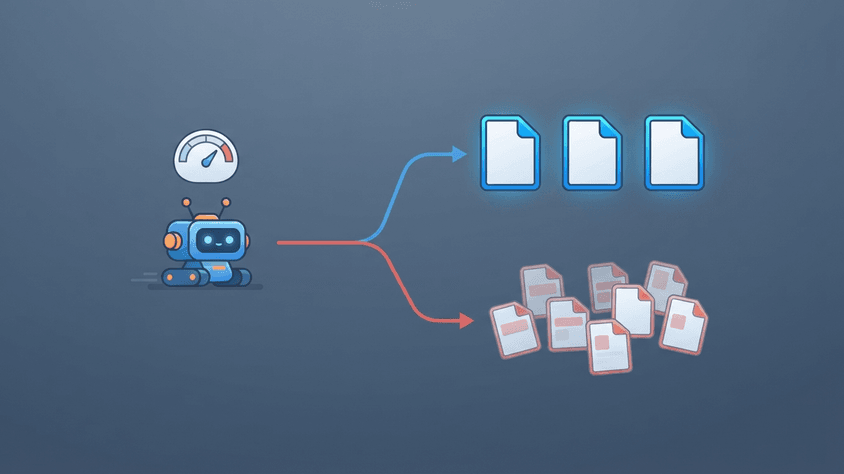
The practical difference is straightforward: 2.4 GHz usually reaches farther and handles obstacles better, while 5 GHz usually provides more capacity, less congestion, and higher practical speeds at shorter ranges. (intel.com)
Neither band is universally better. The right choice depends on distance, walls, interference, device compatibility, and what you are doing online.
The Short Answer
Use 5 GHz when you are relatively close to the router and want high performance for activities such as large downloads, video calls, streaming, cloud applications, or gaming.
Use 2.4 GHz when the device is farther from the router, several walls separate you from it, or you are connecting devices with modest bandwidth requirements such as some smart-home and IoT devices.
Modern dual-band routers can provide both simultaneously, so in many homes you do not actually need to choose one permanently.
Key Differences
| Feature | 2.4 GHz Wi-Fi | 5 GHz Wi-Fi |
|---|---|---|
| Typical strength | Range and compatibility | Capacity and performance |
| Range | Usually longer | Usually shorter |
| Obstacle penetration | Generally better | Generally weaker |
| Available spectrum | More limited | Much larger |
| Congestion | Usually higher | Usually lower |
| Wide channels | Less practical | Much more practical |
| Legacy-device support | Excellent | Depends on device |
| Best suited for | Distance, IoT, basic traffic | Streaming, gaming, work, large transfers |
These are general characteristics rather than guaranteed performance figures. Actual Wi-Fi performance depends heavily on the router, client device, Wi-Fi generation, channel width, interference, signal strength, building materials, and network load. (intel.com)
What Does GHz Mean?
GHz means gigahertz. One gigahertz equals one billion cycles per second.
In this context, 2.4 GHz and 5 GHz describe different parts of the radio-frequency spectrum that Wi-Fi equipment can use.
This is unrelated to 4G or 5G mobile networks. In “5G,” the G means generation. In “5 GHz,” GHz is a measurement of frequency.
You can think of 2.4 GHz and 5 GHz as two different roads connecting your device to the router. Both ultimately lead to the same network, but their physical characteristics and available capacity differ.
Why 5 GHz Is Usually Faster
A common explanation is that “higher frequency means faster Wi-Fi.” That is incomplete.
The frequency itself is not simply a speed control. One major reason 5 GHz networks can provide higher throughput is that the band offers far more usable spectrum and more opportunities for wider channels.
Intel describes the 2.4 GHz Wi-Fi spectrum as roughly 70 MHz wide, while the commonly used 5 GHz spectrum provides substantially more spectrum. This gives 5 GHz networks more room to operate without forcing nearby networks into the same limited set of channels. (intel.com)
Channel width matters as well.
A channel can be thought of as a lane allocated to a Wi-Fi transmission. Wider channels can carry more data under suitable conditions.
Apple currently recommends 20 MHz channel width for 2.4 GHz, particularly because wider configurations can increase interference and reliability problems in crowded environments. For 5 GHz, Apple recommends allowing automatic or supported channel widths so compatible devices can take advantage of greater available bandwidth. (support.apple.com)
So the more useful model is:
5 GHz → more available spectrum → more usable channels and wider channels → potentially greater network capacity.
That does not mean every 5 GHz connection will outperform every 2.4 GHz connection. A weak 5 GHz signal through several walls can perform worse than a strong 2.4 GHz connection.
Why 2.4 GHz Reaches Farther
Radio propagation changes with frequency.
Under comparable conditions, lower-frequency signals generally experience lower free-space loss and tend to provide better coverage through distance and obstacles than higher-frequency Wi-Fi signals. In normal home use, this means 2.4 GHz often remains usable farther from the router.
Imagine your router is in the living room.
Your laptop beside the router may get excellent performance on 5 GHz. Move two rooms away, place several walls between you and the access point, and the 5 GHz signal may weaken significantly. Switching to 2.4 GHz may produce a stronger and more stable connection even if its maximum potential throughput is lower.
Building materials also matter. Concrete, reinforced walls, metal, mirrors, and other structures can significantly affect radio signals, so there is no universal distance at which you should switch bands.
Why 2.4 GHz Gets Crowded
The 2.4 GHz band is used by far more than Wi-Fi.
Bluetooth devices and other consumer electronics can operate in the same general spectrum. Nearby Wi-Fi networks also compete for airtime. Cisco notes that 2.4 GHz is commonly congested and can experience interference from devices including Bluetooth equipment and microwave ovens. (cisco.com)
The channel situation makes the problem more noticeable.
In the commonly used 20 MHz configuration, channels 1, 6, and 11 are the traditional non-overlapping 2.4 GHz channel arrangement in regulatory domains where those channels are available. Cisco documentation discusses these channels specifically when planning nearby access points to reduce overlap. (cisco.com)
Imagine an apartment building with 20 routers around you. If most of them are using the same small section of 2.4 GHz spectrum, the devices must share airtime.
Your ISP connection could be 1 Gbps and the Wi-Fi experience could still be poor because the bottleneck is the local wireless environment rather than the internet connection itself.
INTERNAL LINK: Why Wi-Fi Can Be Slow Even With Fast Internet
When to Use 5 GHz
Choose 5 GHz when you have a strong enough signal and performance matters.
Typical cases include:
- laptops and desktop computers near the router;
- 4K video streaming;
- large file transfers;
- cloud backups;
- video conferencing;
- game downloads;
- low-latency applications;
- high-bandwidth home-office workloads.
Intel also recommends higher-frequency Wi-Fi bands for demanding real-time workloads such as gaming, streaming, videoconferencing, and productivity applications. (intel.com)
There is another advantage: because 5 GHz provides substantially more channel capacity, neighboring access points have more room to avoid each other.
Some 5 GHz channels are subject to Dynamic Frequency Selection (DFS) rules because the spectrum is shared with radar systems. An access point operating on a DFS channel may have to detect radar and move to another channel when necessary. Exact channel availability and DFS requirements depend on the regulatory domain. (cisco.com)
When to Use 2.4 GHz
2.4 GHz remains extremely useful.
It is often the better choice when:
- the device is far from the router;
- multiple walls separate the device and access point;
- the device only supports 2.4 GHz;
- bandwidth requirements are low;
- you are connecting smart bulbs, sensors, thermostats, or similar IoT equipment;
- 5 GHz signal strength is poor.
Many IoT devices support only 2.4 GHz because they do not need enormous bandwidth and benefit from broad compatibility and coverage.
That does not make 2.4 GHz obsolete. It simply serves a different role.
Should You Separate the Wi-Fi Names?
You may have seen networks such as:
HomeWiFi_2.4
and
HomeWiFi_5G
This allows you to select the band manually, but it is not always necessary.
Modern routers frequently support band steering or similar mechanisms that allow devices to use one network name while the router and client determine an appropriate band.
Apple currently recommends using one unique SSID across all supported Wi-Fi bands, rather than assigning separate names to 2.4 GHz, 5 GHz, and 6 GHz networks. (support.apple.com)
Manual separation can still be useful for troubleshooting, testing, older devices, or situations where you deliberately want to force a device onto a specific band.
GHz Is Not Your Internet Speed
One of the most important misconceptions is:
“5 GHz means my internet will be faster.”
Not necessarily.
Your connection contains several separate performance limits:
Device → Wi-Fi → router → ISP connection → Internet destination
Suppose your internet plan provides 100 Mbps.
Even if the Wi-Fi link between your laptop and router is theoretically capable of hundreds of megabits per second, an internet download cannot exceed the limits imposed elsewhere in the path.
Likewise, upgrading from 2.4 GHz to 5 GHz cannot fix a slow server or a congested ISP connection.
But if Wi-Fi itself is the bottleneck, changing bands can produce a substantial improvement.
INTERNAL LINK: Wi-Fi Speed vs Internet Speed Explained
How to Choose
A useful decision rule is:
Start with 5 GHz. Move to 2.4 GHz when range or stability becomes more important than maximum throughput.
If the router automatically manages both bands under one SSID, leaving the decision to modern client and router algorithms is often reasonable.
For a fixed device that performs poorly, test both bands rather than assuming one is better.
Measure actual performance in the device's real location. A speed test, latency measurement, signal-strength reading, or local file-transfer test will tell you more than the GHz label alone.
Common Misconceptions
5 GHz means 5G
No. 5 GHz is a radio frequency. 5G is a generation of cellular technology.
5 GHz is always faster
No. It has greater performance potential, but a weak 5 GHz signal can be worse than a strong 2.4 GHz connection.
2.4 GHz is outdated
No. It remains valuable for coverage, legacy compatibility, and many low-bandwidth devices.
A stronger Wi-Fi signal means faster internet
Not necessarily. Signal quality only describes part of the path. ISP speed, congestion, device capability, router hardware, and remote servers can all become bottlenecks.
SeoNest Recommendation
For a modern dual-band network, keep both 2.4 GHz and 5 GHz enabled unless you have a specific reason not to.
Use 5 GHz as the preferred performance band for modern laptops, phones, TVs, consoles, and work devices when signal strength is sufficient. Keep 2.4 GHz available for longer-range coverage and devices that need it.
Use automatic channel selection when it works well in your environment. For 2.4 GHz, 20 MHz channel width is generally the safer configuration in crowded areas; wider channel options are more practical on 5 GHz. Apple currently recommends this general setup for modern Wi-Fi networks. (support.apple.com)
Most importantly, optimize based on actual measurements rather than assuming that the larger frequency number automatically means a better connection.
FAQ
Is 2.4 GHz or 5 GHz better through walls?
2.4 GHz generally provides better range through walls and other obstacles. The real difference varies substantially with wall material, building layout, antennas, transmit power, and interference.
Which band is better for gaming?
5 GHz is usually preferable when the router is nearby because it can provide greater capacity and less interference. If the 5 GHz signal is weak, however, 2.4 GHz may provide the more stable connection.
For latency-sensitive gaming, wired Ethernet remains preferable when practical.
Which band should smart-home devices use?
Many smart-home and IoT devices use 2.4 GHz. Their bandwidth requirements are typically small, while range and device compatibility matter more.
Can a router use both bands at once?
Yes. A dual-band router can provide 2.4 GHz and 5 GHz networks simultaneously.
Does 5 GHz have more channels?
Yes. One major advantage of the 5 GHz band is significantly greater available spectrum and a larger number of usable channel configurations, although exact channels vary by country and regulatory domain. (team-development.cisco.com)
Final Takeaway
The difference between 2.4 GHz and 5 GHz Wi-Fi is not simply “slow versus fast.”
2.4 GHz prioritizes reach and compatibility. 5 GHz provides more spectrum and usually enables higher-capacity connections when signal conditions are good.
For most modern networks, the best solution is not choosing one and disabling the other. It is using both for the jobs they handle best.
Sources
- Intel — “2.4 GHz vs. 5 GHz vs. 6 GHz: What’s the Difference?” Explanation of Wi-Fi frequency bands, spectrum capacity, range, congestion, channel widths, and practical use cases. (intel.com)
- Apple Support — “Recommended settings for Wi-Fi routers and access points” Current recommendations for common SSIDs, automatic channel selection, 20 MHz 2.4 GHz channels, and automatic/all supported channel widths on 5 GHz and 6 GHz. (support.apple.com)
- Cisco — “RF Channels on a Cisco Business Wireless Network” Practical documentation covering congestion, interference, 2.4 GHz behavior, and Wi-Fi channel selection. (cisco.com)
- Cisco — Software Configuration Guide: Configuring the Radio Documentation covering channel allocation and the common 1/6/11 non-overlapping 2.4 GHz channel plan. (cisco.com)
- Cisco — Wireless RF Reference Guide Technical reference covering 5 GHz spectrum, channel allocation, U-NII ranges, and DFS usage. (spg.xgslb-v3.cisco.com)
- Cisco — “Identify Radar Detection in Dynamic Frequency Selection (DFS) Channels”, updated June 7, 2023. Explanation of DFS requirements and radar detection on applicable 5 GHz channels. (cisco.com)
- Federal Communications Commission — 5 GHz U-NII spectrum documentation Regulatory background covering unlicensed wireless operation within relevant 5 GHz spectrum ranges. (docs.fcc.gov)